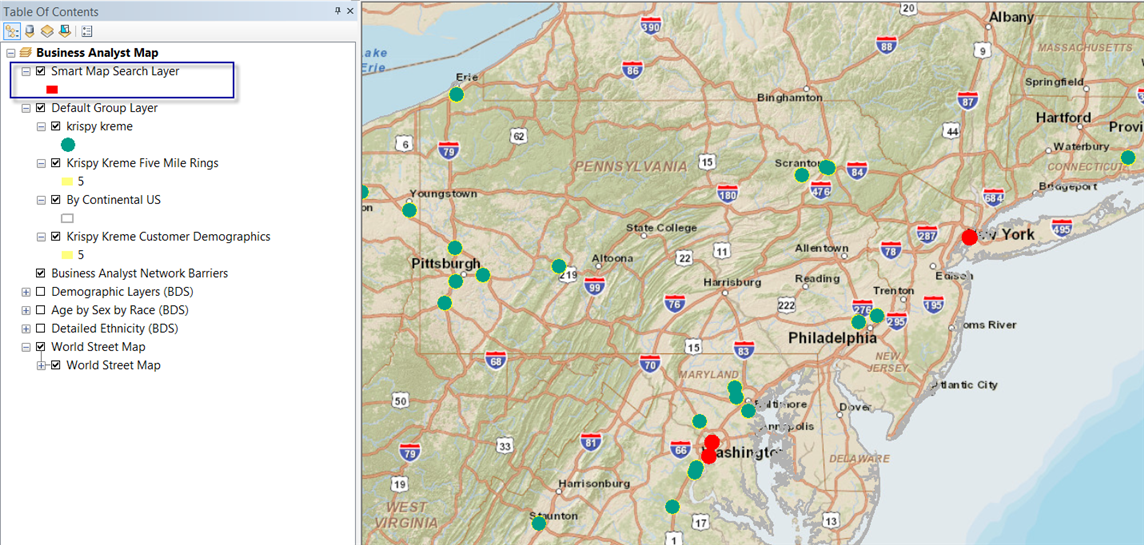
Now that you have created trade areas and appended the demographic data, you can refine the results using Smart Map Search.
-
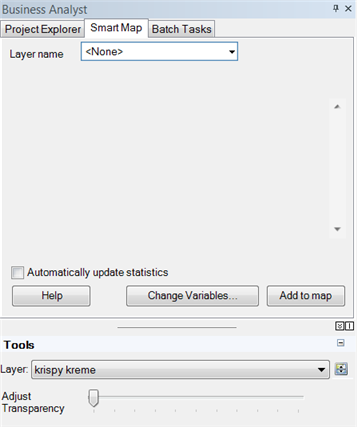
In the Business Analyst window, click the Smart Map tab.
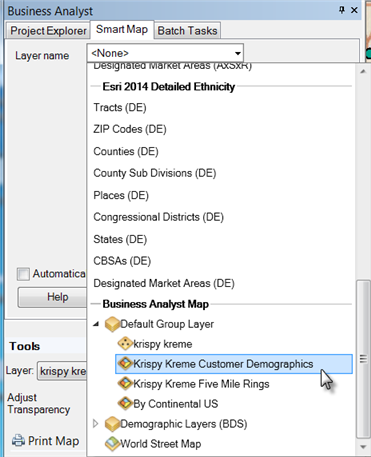
- Click the Layer Name drop-down menu, expand Default Group Layer under the Business Analyst Map heading and click Krispy Kreme Customer Demographics.
The default variables populate the Smart Map tab.
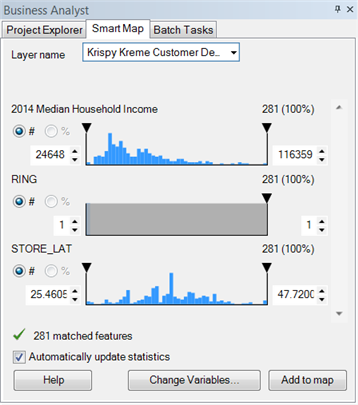
- Click Change Variables to customize the variables used to refine the search.
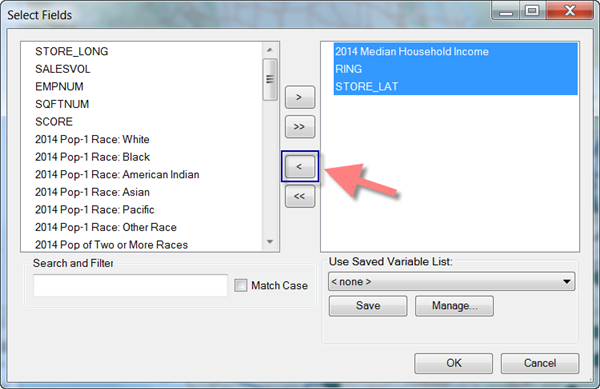
- On the Select Fields dialog box, highlight the fields in the column on the right and click the single right arrow to move them to the column on the left.
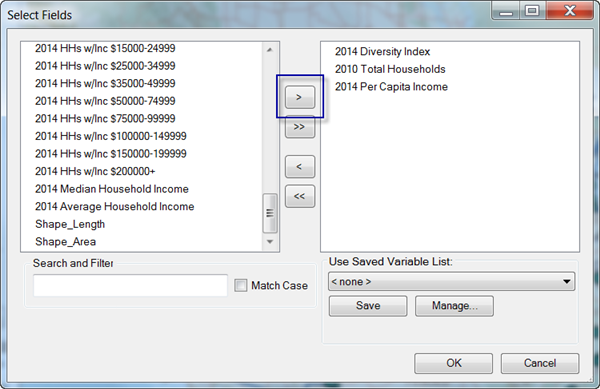
- In the column on the left, highlight <current year> Diversity Index, 2010 Total Households, and <current year> Per Capita Income; click the right single arrow to move the fields to the column on the right; and click OK.
- In the Business Analyst window, on the Smart Map tab, change the floor values for each of the demographic variables.
The floor values text box is below the variable name as shown below.
- For <current year> Per Capita Income highlight the existing text and type 40000.
- For <current year> Diversity Index, highlight the existing text and type 50.
- For 2010 Total Households, highlight the existing text and type 100000.
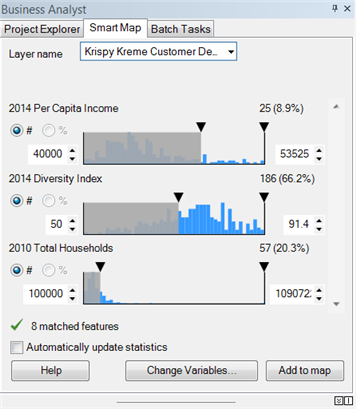
Changing the floor values allows you to refine your search for highly diverse stores that have large numbers of potential affluent shoppers. Notice that the match features are significantly reduced to only 8 features out of 281.
- Click Add to map to view your refined results as a map layer.
The layer is added to the table of contents as Search Map Search Layer.