ArcGIS Desktop

  • Documentation
  • Support

  • My Profile
  • Help
  • Sign Out
ArcGIS Desktop

ArcGIS Online

The mapping platform for your organization

ArcGIS Desktop

A complete professional GIS

ArcGIS Enterprise

GIS in your enterprise

ArcGIS for Developers

Tools to build location-aware apps

ArcGIS Solutions

Free template maps and apps for your industry

ArcGIS Marketplace

Get apps and data for your organization

  • Documentation
  • Support
Esri
  • Sign In
user
  • My Profile
  • Sign Out

Help

  • Home
  • Get Started
  • Map
  • Analyze
  • Manage Data
  • Tools
  • More...

Identify features

You can use the Identify tool to view attribute values of features in the map.

  1. Open a web browser and start the Roadway Characteristics Editor application.
  2. On the Map tab, in the Identify group, click Identify.
  3. Click a feature in the map to identify and view its attributes.
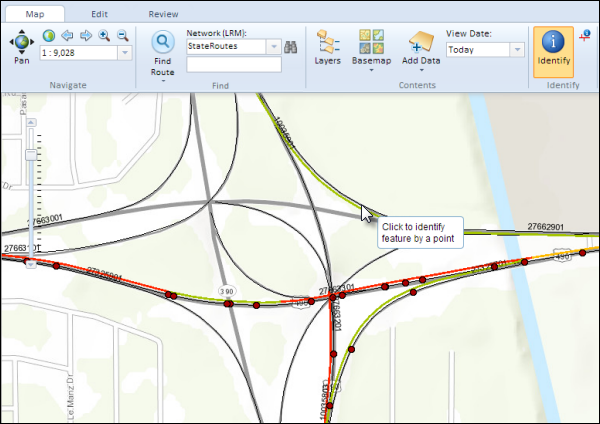
    Click to identify features

    The identified features are highlighted in yellow and their attributes are shown in the Identify Results window.
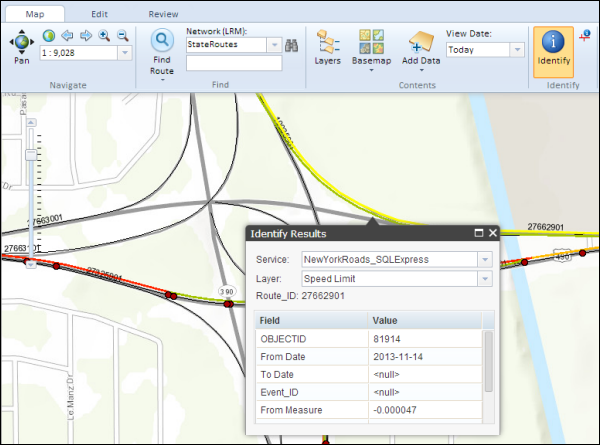
    Features identified on the map

    Note:

    You can set one of the fields for each feature class to appear using the Layer parameter (Route Name in this case). To select a field for the feature class, you need to access its layer properties in the ArcMap document used to create the map service. On the Display tab, select the field from the Field list.

    Setting the display field

  4. If more than one feature layer exists under the selected point location, you can use the Layer list to identify their features.
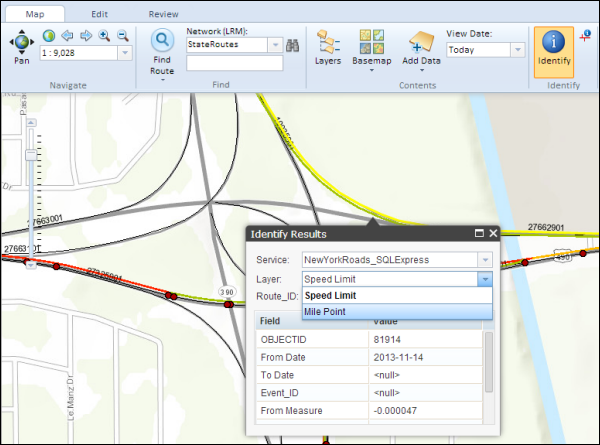
    Selecting a different layer to identify

    The selected layer's feature is highlighted in yellow and the attributes are shown in the Identify Results window.
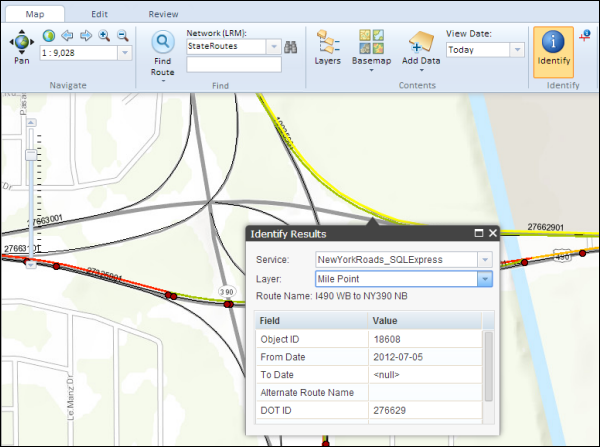
    Results of identifying another layer

ArcGIS Desktop

  • Home
  • Documentation
  • Support

ArcGIS Platform

  • ArcGIS Online
  • ArcGIS Desktop
  • ArcGIS Enterprise
  • ArcGIS for Developers
  • ArcGIS Solutions
  • ArcGIS Marketplace

About Esri

  • About Us
  • Careers
  • Esri Blog
  • User Conference
  • Developer Summit
Esri
Tell us what you think.
Copyright © 2018 Esri. | Privacy | Legal