ArcGIS Desktop

  • Documentation
  • Support

  • My Profile
  • Help
  • Sign Out
ArcGIS Desktop

ArcGIS Online

The mapping platform for your organization

ArcGIS Desktop

A complete professional GIS

ArcGIS Enterprise

GIS in your enterprise

ArcGIS for Developers

Tools to build location-aware apps

ArcGIS Solutions

Free template maps and apps for your industry

ArcGIS Marketplace

Get apps and data for your organization

  • Documentation
  • Support
Esri
  • Sign In
user
  • My Profile
  • Sign Out

Help

  • Home
  • Get Started
  • Map
  • Analyze
  • Manage Data
  • Tools
  • More...

Modifying report configurations

Once you have saved a report configuration, you can modify the configuration at a later time and even save the configuration as a new report configuration. A benefit of this feature is that if you have a common type of report that is run, but there are several different variations of the same report configuration, you can save a base configuration to use as a template and then create other report configurations seeded from the configuration that serves as the base. This can save time and effort when configuring reports.

  1. Open Roadway Reporter in a web browser.
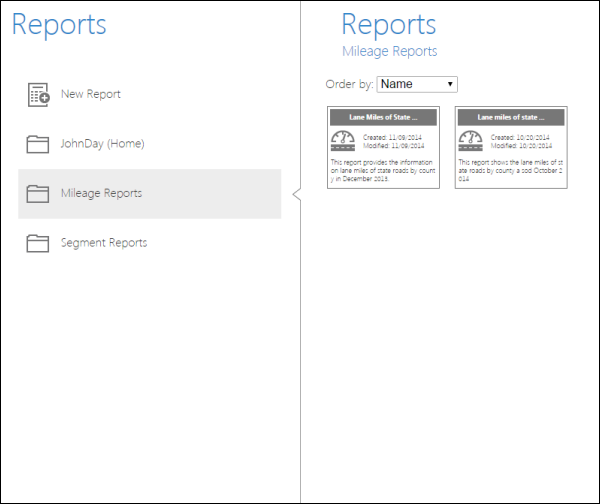
  2. Browse to the Reports page and select the folder where the report configuration has been saved.
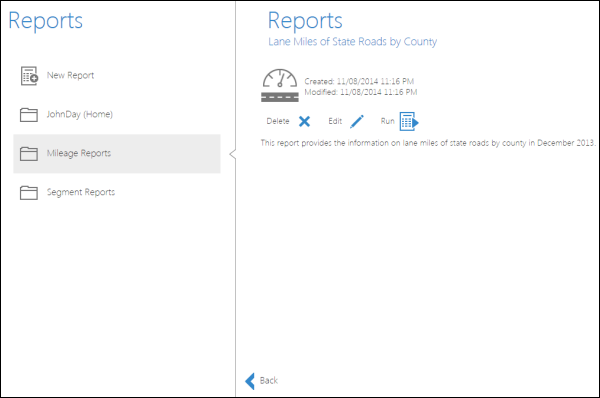
  3. Select the report configuration you would like to modify.
    Opening a saved report configuration
    Opening a saved report configuration

  4. Click the Edit Report button Edit Report.

    Modifying a saved report
    Modifying a saved report

  5. You will be redirected to the start of the report configuration. To learn more about producing mileage or segment reports, see Configuring a mileage report or Configuring a segment report.
  6. Save the modified report configuration as a new report.

ArcGIS Desktop

  • Home
  • Documentation
  • Support

ArcGIS Platform

  • ArcGIS Online
  • ArcGIS Desktop
  • ArcGIS Enterprise
  • ArcGIS for Developers
  • ArcGIS Solutions
  • ArcGIS Marketplace

About Esri

  • About Us
  • Careers
  • Esri Blog
  • User Conference
  • Developer Summit
Esri
Tell us what you think.
Copyright © 2018 Esri. | Privacy | Legal