You can remove associations between workflows and map documents as needed. This can be necessary if the workflow or map document has changed in such a way that it is no longer appropriate for the two to be associated.
- Start ArcMap.
- If necessary, click the Task Assistant button
 on the Task Manager toolbar to display the Task Assistant window.
 - Right-click in the Task Assistant window and click Associate Workflow with MXD.
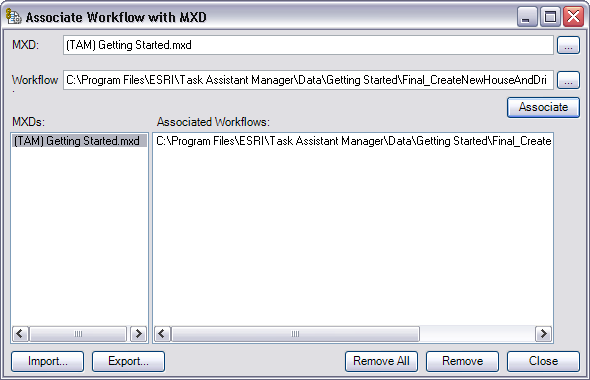
The Associate Workflow with MXD dialog box appears.
- Do one of the following to remove the association between workflows and map documents:
To remove a workflow from the association
Click the map document name in the MXDs list, click the workflow name in the Associated Workflows list, then click Remove.
To remove all workflows associated with a map document
Click the map document name in the MXD list and click Remove.
To remove workflows associated with multiple map documents
Press and hold the CTRL key and click the names of the map documents to remove from the association, then click Remove.
To remove all associations
Click Remove All. Click Yes on the Associate Workflow message.
- Click Close.