When you are editing data, the Advanced SQL Calculator tool allows you to calculate the values of a common field across multiple tables in your schema in the current edit workspace.
- Inicie ArcMap.
- Si es necesario, cargue datos en el mapa.
- En el menú principal, haga clic en Personalizar > Barras de herramientas > Edición de producción.
- Haga clic en el botón Iniciar edición de producción
 en la barra de herramientas Edición de producción.
-
Click the Advanced SQL Calculator button
 on the Nautical toolbar.
The Advanced SQL Calculator dialog box appears.
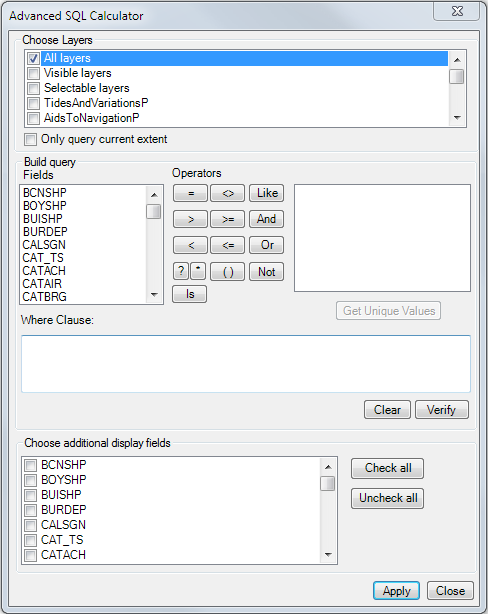
- Build a query to select features.
-
Right-click any column header in the Advanced SQL Calculator Results window and click Field Calculator to batch calculate the fields in that column.
The Field Calculator dialog box appears.
- Type the new value in the text box or choose a value from the drop-down list for fields that use a coded value domain.
- Haga clic en Aceptar.