Part of managing representations is removing them from the visual specifications when they are no longer needed or used. They may also need to be deleted to simplify the number of representations you have for a particular feature class. For example, if you originally had four representations storing rules for a single layer, you could consolidate them into two representations and delete the remaining two, as appropriate. Deleting a representation will also delete all its associated specification rules.
- Start ArcMap.
- Load data in the map.
- Choose the layer that contains representations you want to delete.
- Right-click the layer and click Properties.
The Layer Properties dialog box appears.
- Click the Calculated Representations tab.
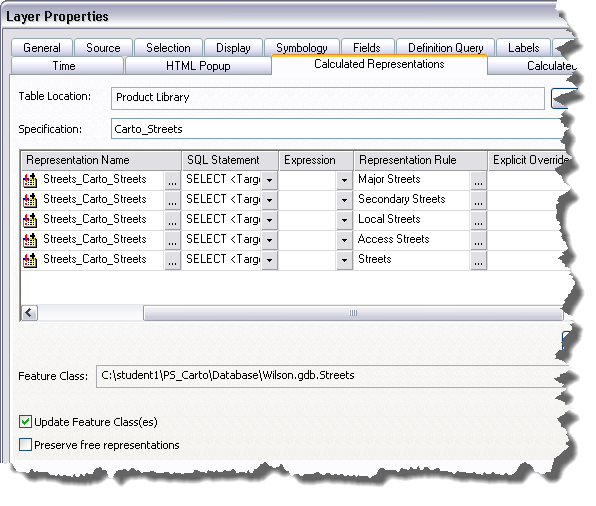
- If necessary, click the Specification drop-down arrow and choose the specification that contains the representation you want to delete.
- Click the specification rule that contains the representation you want to delete.
- Click Options > Delete Representation.
The Rules Editor message appears, asking whether you want to delete the representation and all its associated specification rules.
- Click Yes to delete the representation and all its associated specification rules.
The representation is removed from the Representations drop-down list.
- Repeat steps 6–9 as needed.
- Click OK when you are finished deleting representations.