Disponible con licencia de Business Analyst.
Resumen
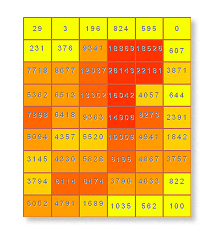
Generates an equidistant vector based grid network for a specified area.
Ilustración
Uso
This tool creates vector based grid cells for a specified size and extent.
Valid numeric distances must be used when defining grid cell size values. Negative distances cannot be used.
The output grid will be created at the cell size specified by the grid cell size.
It is recommended that you limit your grid size to 0.5 miles or larger to reflect data accuracy and appropriate retrieval of demographic data that is apportioned to the grids.
Creating very small grid cells for a large extent will take a long to time to process when aggregating data from another layer. Each grid cell is the equivalent of a trade area.
Sintaxis
Grids_ba (ExtentWay, GridSize, {MeasureUnits}, OutputFeatureClass, {ExtentSourceLayer}, {Extent}, {BDSFeatureClass}, {GridSymbolizationField}, {SelectedSummarizations}, {UseOnlineData})| Parámetro | Explicación | Tipo de datos |
ExtentWay | How the extent for which the grids will be defined.
| String |
GridSize | The unit used to determine the size of each grid. | Double |
MeasureUnits (Opcional) | The units used with the distance values. By default, the units defined in the Business Analyst preferences will be selected.
| String |
OutputFeatureClass | The feature class that will contain the grid features. | Feature Class |
ExtentSourceLayer (Opcional) | The input feature class used to define the extent of the grid network. This parameter is required if ExtentWay is set to "Get extent from the layer" | Feature Layer |
Extent (Opcional) | Custom bounding units for the grid extent. Enter the Y minimum and maximum and the X minimum and maximum. This parameter is required if ExtentWay is set to "Enter extent coordinates manually" If using the Python call, enter the values as a String in the following format: "[X-min] [Y-min] [X-max] [Y-max]". For example, "0 0 100 100" (Single-space delimited, no commas). | Envelope |
BDSFeatureClass (Opcional) | Input feature class that will contain the available layers that can be appended to the output feature class (grid). | Feature Layer |
GridSymbolizationField (Opcional) | Defines the variable that will be thematically mapped in the output feature class. | String |
SelectedSummarizations [SelectedSummarizations,...] (Opcional) | Allows you to select from an available list of variables in the Layer to Aggregate input feature class to append to the output feature class. | String |
UseOnlineData (Opcional) | Selects how the Business Analyst data used in the analysis will be accessed.
| Boolean |
Muestra de código
Grids example (stand-alone script)
# Name: Grids.py
# Description: Generates a 1-mile grid output layer based on current map extent.
# Author: Esri

# Import system modules
import arcview
import arcpy

arcpy.ImportToolbox(r"C:\Program Files (x86)\ArcGIS\Desktop10.6\Business Analyst\ArcToolbox\Toolboxes\Business Analyst Tools.tbx")

# Acquire extension license
arcpy.CheckOutExtension("Business")

# Define input and output parameters for the Grids tool
# Please note that your paths may be different.
ExtentWay1 = "Enter extent coordinates manually"
ExtentWay2 = "Get extent from the layer"
GridSize = "1"
MeasureUnits = "Miles"
OutputFeatureClass = "C:/temp/grids.shp"
ExtentSourceLayer = "C:/temp/Boundary.shp"
Extent = "0 0 100 100", #X-min Y-min X-max Y-max
BDSFeatureClass = ""
GridSymbolizationField = ""
SelectedSummarizations = ""
UseOnlineData = "false"

# Create grid based trade areas

#Method 1
arcpy.Grids_ba(ExtentWay1,
						GridSize,
						MeasureUnits,
						OutputFeatureClass,
						"",
						Extent,
						BDSFeatureClass,
						GridSymbolizationField,
						SelectedSummarizations,
						UseOnlineData)

#Method 2
arcpy.Grids_ba(ExtentWay2,
						GridSize,
						MeasureUnits,
						OutputFeatureClass,
						ExtentSourceLayer,
						"",
						BDSFeatureClass,
						GridSymbolizationField,
						SelectedSummarizations,
						UseOnlineData)

# Release extension license
arcpy.CheckInExtension("Business")
Entornos
Esta herramienta no utiliza ningún entorno de geoprocesamiento.
Información sobre licencias
- ArcGIS Desktop Basic: Requiere Business Analyst
- ArcGIS Desktop Standard: Requiere Business Analyst
- ArcGIS Desktop Advanced: Requiere Business Analyst