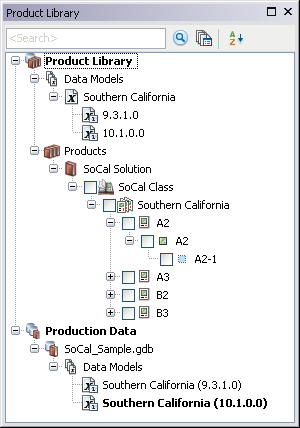
The Product Library tree view in the Product Library window displays the contents of your product library, such as the data models and versions, solutions, product classes, products, and the production databases from which you have data loaded.
Depending on the number of items in your product library, you may need to sort the tree view alphabetically so it is easier to find things.
- Start ArcMap.
- If necessary, open the Product Library window by clicking Customize > Production > Product Library on the main menu.
A tree view of the product library appears.
- Click the Sort Descending button
 in the Product Library window.
The product library is sorted in descending order, and the Sort Descending ToolTip changes to Sort Ascending.
- Click the Sort Ascending button again to sort the product library in ascending order.
By default, the Product Library tree view is sorted in ascending order.