In Task Assistant Manager, you can associate ArcMap commands with a step in the workflow. The Task Manager Utilities category in the Command Item Editor contains commands that may be useful during workflow creation. Commands are associated with specific workflow steps and allow a specific function to occur when you run that step in the task assistant workflow.
The Activate Dockable Window command allows you to display windows when a user executes a step in the task assistant workflow. When the window appears, it floats in the ArcMap display.
- Start ArcMap.
- If necessary, click the Task Assistant button
 on the Task Manager toolbar to display the Task Assistant window.
 - Open a task assistant workflow.
- Click to select the step to configure in the Task Assistant window.
- Click the Designer tab.
- Click the cell next to Commands and click the ellipsis (...) that appears.
The Command Item Editor dialog box appears.
- In the Categories list, click the Task Manager Utilities category.
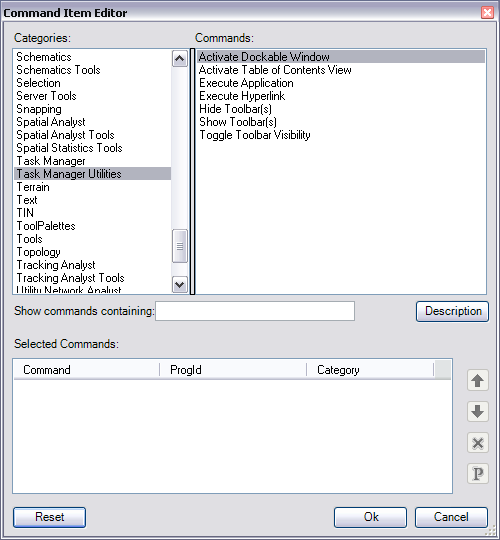
- Double-click the Activate Dockable Window command.
The Activate Dockable Window command is listed in the Selected Command area.
- Click the Command Parameters button
 .
.
The Command Parameters dialog box appears.
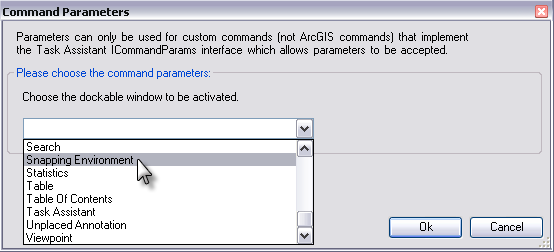
- Click the Choose the dockable window to be activated drop-down arrow and choose the dockable window you want to appear in ArcMap.
- [OK] をクリックします。
- Click OK to close the Command Item Editor dialog box.