ArcGIS Desktop

  • Документация
  • Поддержка

  • My Profile
  • Справка
  • Sign Out
ArcGIS Desktop

ArcGIS Online

Картографическая платформа вашей организации

ArcGIS Desktop

Полноценная профессиональная ГИС

ArcGIS Enterprise

ГИС предприятия

ArcGIS for Developers

Инструменты для встраивания приложений с местоположениями

ArcGIS Solutions

Бесплатные шаблоны карт и приложений для отрасли

ArcGIS Marketplace

Получение приложения и данных для вашей организации.

  • Документация
  • Поддержка
Esri
  • Войти
user
  • Мой профиль
  • Выход

ArcMap

  • На главную
  • Начало работы
  • Карта
  • Анализ
  • Управление данными
  • Инструменты
  • Дополнительные модули

Saving a rule file

You have the option to save the display rules used to generate a composite surface model as a rule file on disk. This is useful when multiple surface models need to be created and require an efficient way to ensure the same dataset ordering methodology. This can be thought of as similar to the way in which a layer file may be applied to another layer of the same layer type as an efficient way to ensure the same symbology. A rule file may be archived, retrieved, and applied to any list of filtered datasets in the Compose Surface window an unlimited number of times.

  1. Start in the Compose Surface window with a set of filtered datasets, either by composing a new surface model or loading an existing surface model.
  2. Click Save Rules on the Compose Surface window to save the set of rules in a file.

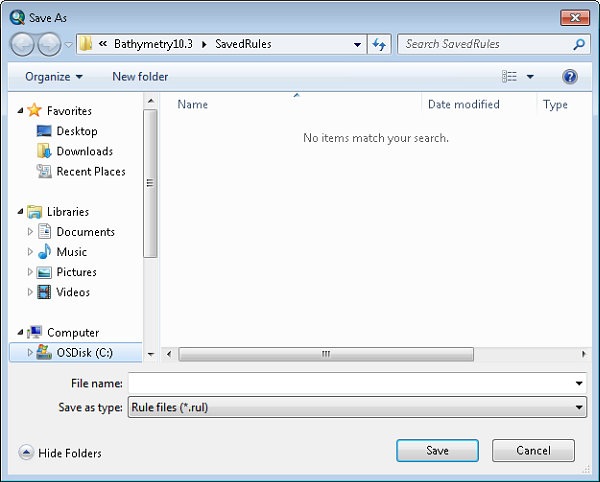
    The Save As dialog box appears.
    Примечание:

    A saved rule set is not associated with any particular data or a surface. To save rules along with data, see Saving a surface model.

    Save As dialog box
  3. Type a name for the rule file in the File name text box.
  4. Click Save.

These files can be loaded in a new Compose Surface window session and applied to a different set of bathymetry data.

ArcGIS Desktop

  • На главную
  • Документация
  • Поддержка

ArcGIS Platform

  • ArcGIS Online
  • ArcGIS Desktop
  • ArcGIS Enterprise
  • ArcGIS for Developers
  • ArcGIS Solutions
  • ArcGIS Marketplace

Об Esri

  • О нас
  • Карьера
  • Блог сотрудников
  • Конференция пользователей
  • Саммит разработчиков
Esri
Расскажите нам, что вы думаете.
© Copyright 2016 Environmental Systems Research Institute, Inc. | Конфиденциальность | Правовая информация