ArcGIS Desktop

  • Документация
  • Поддержка

  • My Profile
  • Справка
  • Sign Out
ArcGIS Desktop

ArcGIS Online

Картографическая платформа вашей организации

ArcGIS Desktop

Полноценная профессиональная ГИС

ArcGIS Enterprise

ГИС предприятия

ArcGIS for Developers

Инструменты для встраивания приложений с местоположениями

ArcGIS Solutions

Бесплатные шаблоны карт и приложений для отрасли

ArcGIS Marketplace

Получение приложения и данных для вашей организации.

  • Документация
  • Поддержка
Esri
  • Войти
user
  • Мой профиль
  • Выход

ArcMap

  • На главную
  • Начало работы
  • Карта
  • Анализ
  • Управление данными
  • Инструменты
  • Дополнительные модули

Viewing files in the file manager as icons

The product library file manager provides you with different ways to view the files that are associated with each level of the product library. Any type of file can be copied into the product library and associated with a solution, product class, series, product, instance, or area of interest.

You can view the files associated with other items in the product library using the icons view. The icons view displays the files associated with a level of the product library using larger icons. The file name appears below the icon.
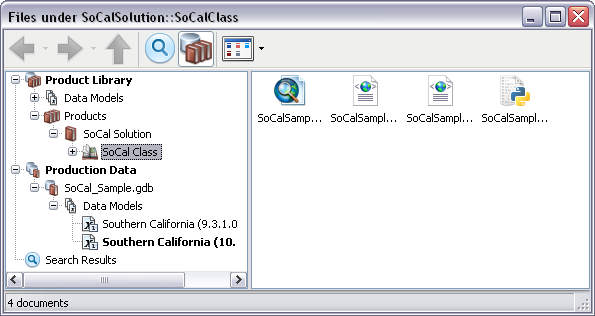
File manager icon view
Icons view on the product library file manager

This view can be used in conjunction with the product library tree view that is available in the file manager. The tree view appears the same way as the Product Library tree view.

  1. Start ArcMap.
  2. If necessary, open the Product Library window by clicking Customize > Production > Product Library on the main menu.

    A tree view of the product library appears.
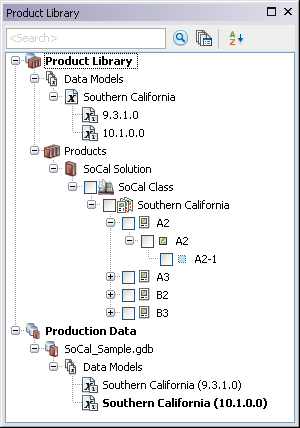
    Product Library tree view
  3. Click the Manage Files button Manage Files on the Product Library window.

    The file manager appears.
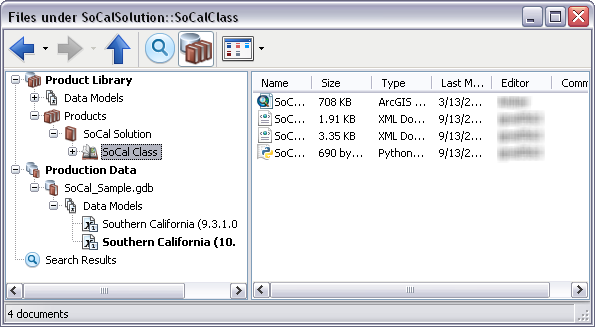
    Default view of the file manager
  4. If necessary, browse to the product library level that is associated with the files.
  5. Click the drop-down arrow next to the Views button Views and click Icons.

    Примечание:

    The view does not change if it is already in the icons view.

ArcGIS Desktop

  • На главную
  • Документация
  • Поддержка

ArcGIS Platform

  • ArcGIS Online
  • ArcGIS Desktop
  • ArcGIS Enterprise
  • ArcGIS for Developers
  • ArcGIS Solutions
  • ArcGIS Marketplace

Об Esri

  • О нас
  • Карьера
  • Блог сотрудников
  • Конференция пользователей
  • Саммит разработчиков
Esri
Расскажите нам, что вы думаете.
© Copyright 2016 Environmental Systems Research Institute, Inc. | Конфиденциальность | Правовая информация