ArcGIS Desktop

  • ArcGIS Pro
  • ArcMap

  • My Profile
  • Справка
  • Sign Out
ArcGIS Desktop

ArcGIS Online

Картографическая платформа вашей организации

ArcGIS Desktop

Полноценная профессиональная ГИС

ArcGIS Enterprise

ГИС предприятия

ArcGIS Developers

Инструменты для встраивания приложений с местоположениями

ArcGIS Solutions

Бесплатные шаблоны карт и приложений для отрасли

ArcGIS Marketplace

Получение приложения и данных для вашей организации.

  • Документация
  • Поддержка
Esri
  • Войти
user
  • Мой профиль
  • Выход

ArcMap

  • На главную
  • Начало работы
  • Карта
  • Анализ
  • Управление данными
  • Инструменты
  • Дополнительные модули

Creating additional LRS Networks

If you want to create additional networks and load routes into that network, this process will guide you through the creation and loading process.

  1. Запустите ArcMap.
  2. In the Catalog window, right-click the LRS in the target geodatabase and click New > LRS Network.
  3. Complete the new steps in Creating an LRS Network and click Yes on the Do you wish to load routes? dialog box to load routes.
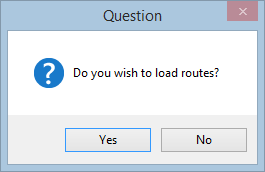
    Click Yes to load routes
  4. Complete the steps in Loading routes and click Yes on the Do you wish to launch Update Calibration Points tool? dialog box to create or update calibration points.
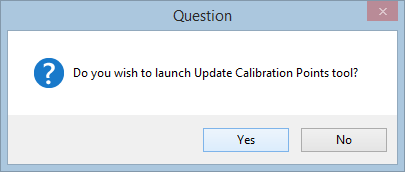
    Click Yes to launch the Update Calibration Points tool
  5. Complete the steps in Creating and updating calibration points and return to ArcMap.
  6. Repeat the steps for each additional network you want to create in the LRS.
  7. Once you've finished creating all your LRS Networks and loading data, complete the steps in Removing duplicate centerline geometry.

ArcGIS Desktop

  • На главную
  • Документация
  • Поддержка

ArcGIS

  • ArcGIS Online
  • ArcGIS Desktop
  • ArcGIS Enterprise
  • ArcGIS Developers
  • ArcGIS Solutions
  • ArcGIS Marketplace

Об Esri

  • О нас
  • Карьера
  • Блог Esri
  • Конференция пользователей
  • Саммит разработчиков
Esri
Расскажите нам, что вы думаете.
Copyright © 2021 Esri. | Конфиденциальность | Правовая информация