The Bathymetry Data Index (BDI) is a catalog of all bathymetric data managed by a mosaic dataset within a BIS geodatabase. The mosaic dataset references bathymetric raster data and its supporting tables, including extended, internal, and collection metadata. As you add more bathymetry to your BIS geodatabase (and, therefore, to your BDI), the mosaic dataset calculates footprints for new datasets and updates BDI boundary geometry as necessary. Optimized rendering is provided by the automatic creation of mosaic dataset overviews. Overviews can be thought of as snapshots of the bathymetric dataset at specific scales which are optimized for display speed. Overviews are created automatically to optimize rendering.
Datasets the BDI references can be filtered, by both spatial and attribute metadata information, from the Explore Bathymetry window. Once the bathymetry is filtered, you can work with the data in the Compose Surface window to define the display order for the bathymetry surface. When you are finished with your ordered surface, you can then use geoprocessing tools available in the Bathymetry toolbox to derive depth information from the surface and apply it to maritime products.
BDI source datasets
The BDI, like any Esri mosaic dataset, references its data from a local disk or network connection. Bathymetry data added to the BIS geodatabase is not to be physically loaded into the BIS geodatabase; instead, the BDI will reference its storage location on-disk. This is an efficient storage method and saves disk space, since datasets are not duplicated between the file system and a geodatabase.
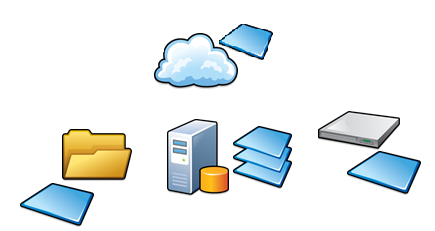
Creating the BDI
Adding bathymetry to the BIS geodatabase with the Add Bathymetry tool either creates a new BDI, if you are loading bathymetry data for the first time, or updates the existing BDI managed within the BIS geodatabase. Before you create the BDI, you define the extended metadata and, if necessary, assign collections to the appropriate groups of bathymetry. When you add bathymetry to the BIS geodatabase, the Add Bathymetry tool does the following:
- Associates the extended and collection metadata to the datasets and stores those links within the BIS geodatabase
- Creates a new or updates the BDI within the BIS geodatabase
- Links the bathymetry data to the mosaic dataset, creates pyramids, and computes statistics for better rendering in ArcGIS
- Creates the mosaic dataset's boundary
- Calculates cell size ranges for the new BDI
- Calculates the percentage of data coverage
- Defines overviews for the new BDI
After these processes are complete, you can apply filters on the extended, internal, and collection metadata entries within the active BIS geodatabase to retrieve the datasets you want to work with. You can then create rules, based on the metadata fields, which will determine the dataset order of display. The combination between the filtered datasets and the rules by which they are displayed will result in your final surface model. This surface model, which is derived from all datasets comprising the BDI, is also a mosaic dataset that can be resourced in a variety of geoprocessing tools or served out as an image service.