The Manage BIS Settings tool contains advanced settings that allow you to set which steps should be skipped during the process of adding bathymetry. You may want to change the settings if you have a BIS geodatabase with a large number of registered datasets and don’t need to visualize them as a seamless, mosaicked surface, but are still interested in the filtering, sorting, and composing capabilities the BIS offers.
If your BIS geodatabase manages a large quantity of bathymetry datasets and this type of viewing is not essential for you, skipping some or all of these steps may be useful, as it will increase the speed at which the Add Bathymetry tool executes.
- Start ArcMap.
- On the main menu, click Customize > Toolbars > Bathymetry.
-
Click the Manage BIS Settings button
 on the Bathymetry toolbar.
The Manage BIS Settings dialog box appears. The settings for your active BIS geodatabases are shown in the dialog box.
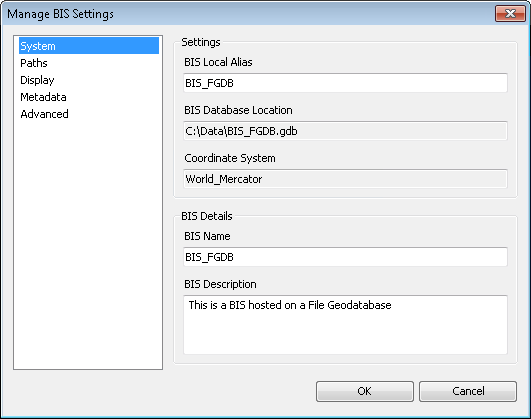
- Click the Advanced pane.
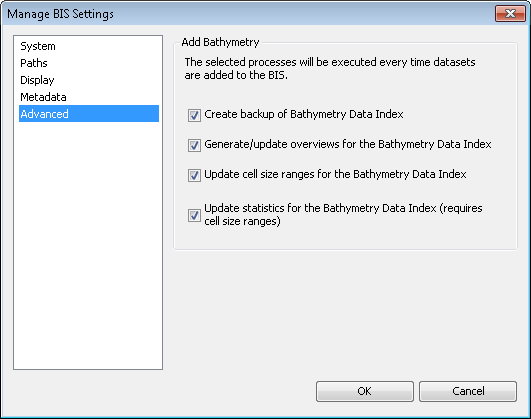
- Uncheck the check boxes for the steps you want to skip while adding bathymetry datasets to your BIS geodatabase. By default, all steps are checked and not skipped.
- Create backup of Bathymetry Data Index—Makes a copy of the Bathymetry Data Index in the event of corruption during Add Bathymetry or if other BIS users are viewing it. If you skip this step and the entire Bathymetry Data Index is corrupted, you will need to re-create it with the Diagnose BIS tool.
- Generate/update overviews for the Bathymetry Data Index—Ensures that small-scale display of your Bathymetry Data Index reflects newly added rasters and speeds up the map display when viewing your Bathymetry Data Index. If you skip this step, newly added datasets will not appear at small scales. Drawing speed of the Bathymetry Data Index may be reduced.
- Update cell size ranges for the Bathymetry Data Index—Updates the scale ranges over which the newly added datasets will be visible in the Bathymetry Data Index. If you skip this step, newly added datasets will not appear in your Bathymetry Data Index at all. Statistics of your Bathymetry Data Index will not be updated.
- Update statistics for the Bathymetry Data Index—Recalculates the minimum, maximum, mean, and standard deviation of the Bathymetry Data Index to take into account the newly added datasets. The statistics are used to determine the depth range over which to symbolize the Bathymetry Data Index. If you skip this step, the statistics of the Bathymetry Data Index will not be updated, and there is no assurance that the stretched color ramp used to render the Bathymetry Data Index is most appropriate.
- 单击确定。
Your updated BIS geodatabase settings are saved. The steps you unchecked will immediately be skipped when adding bathymetry to the BIS geodatabase.