获得 Business Analyst 许可后可用。
This tool calculates the size and shape of the market area based on your customer points or a numeric field contained within your customer file, such as sales. This method accurately represents each store's actual area of influence, and the detail and extent of the trade area is based on the type of analysis you select.
You can create one, two, or three market areas around your store—primary, secondary, and tertiary markets, respectively. More than three are not often used but are possible with Business Analyst.
These market areas can be determined by the following:
- Number of customers—For example, create a trade area around each store that includes the closest 60 percent of customers.
- Weighted value—For example, create a trade area around each store that includes the closest 60 percent of customer sales, number of purchases, and so forth.
How the outline is created
Business Analyst creates a boundary around the outermost set of customer points that meet the specified criteria. This is the most accurate method of defining a market area.
There are four types of analyses available when creating customer-derived trade areas.
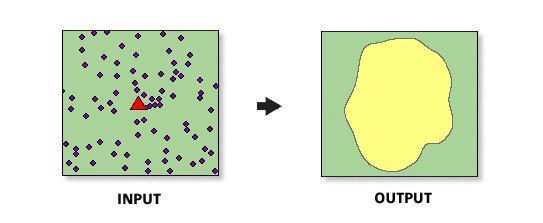
- Simple trade areas—Generalized, overlapped trade areas. In this case, a simple hull is created around the customer points.
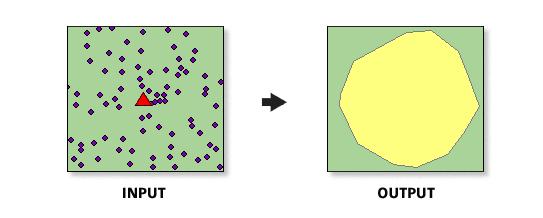
- Amoeba trade areas—Trade areas that take into account all your customer points and join extreme points using elliptical arcs.
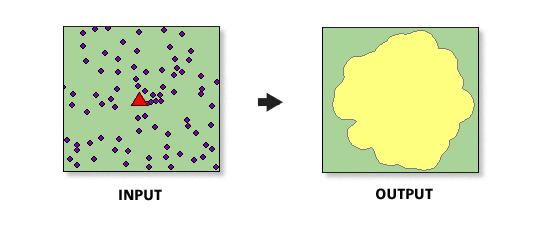
- Detailed trade areas—Trade areas that take into account all your customer points and join extreme points using straight lines.
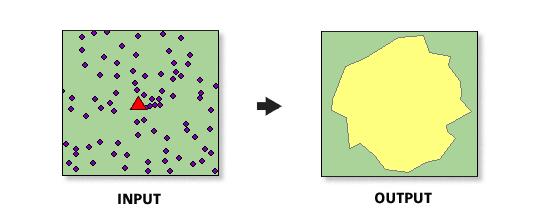
- Detailed with Smoothing trade areas—Detailed trade areas that take into account all your customer points and join extreme points with a smoothed curve using cubic splines. This is the most recommended approach because it takes into account the shape and pattern of the customer distributions.