Create chart leads for single or multiple data frames and for all the line features intersecting the data frames at once using the Batch Chart Leads tool.
- 启动 ArcMap。
- Ensure that the production properties are set correctly.
Properties include the product library workspace, production database workspace, Data Model Version, and Instances Maintained. The Data Model Version must be set to an AIS-based data model.
- Configure the chart leads properties if you have not done so already.
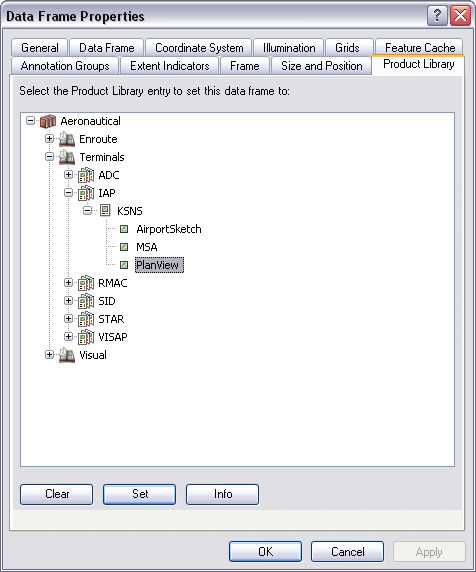
- Ensure that your chart's data frame is set to the appropriate
instance by right-clicking the data frame, clicking Properties,
and clicking the Product Library tab.
- On the main menu, click View > Layout View.
- On the main menu, click Customize > Toolbars > Aviation Layout.
- Click the
Batch Chart Leads button
 on the Aviation Layout toolbar to create chart leads for all features in the designated line
feature layer and/or all data frames.
on the Aviation Layout toolbar to create chart leads for all features in the designated line
feature layer and/or all data frames.
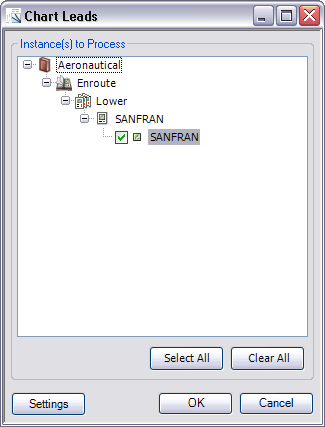
The Chart Leads dialog box appears.
- To modify the chart leads settings, click Settings.
- Check the check boxes next to the data frames for which to create chart leads.
- 单击确定。