ArcGIS for Desktop

  • Documentation
  • Pricing
  • Support

  • My Profile
  • Help
  • Sign Out
ArcGIS for Desktop

ArcGIS Online

The mapping platform for your organization

ArcGIS for Desktop

A complete professional GIS

ArcGIS for Server

GIS in your enterprise

ArcGIS for Developers

Tools to build location-aware apps

ArcGIS Solutions

Free template maps and apps for your industry

ArcGIS Marketplace

Get apps and data for your organization

  • Documentation
  • Pricing
  • Support
Esri
  • Sign In
user
  • My Profile
  • Sign Out

Help

  • Home
  • Get Started
  • Map
  • Analyze
  • Manage Data
  • Tools
  • More...

Exercise 4: Evaluating a site and creating a report

Evaluate a site allows you to click on the map, create a trade area and output a report in one wizard session. This provides a simple method for gathering information about a potential site. For this exercise, you will create a drive-time trade area.

  1. Click Evaluate Site on the Business Analyst toolbar and click Click on the Map.
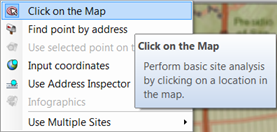
    Evaluate Site drop-down menu

    The pointer appears with a circle.

  2. Move the pointer anywhere on the map between the two San Francisco store locations and click.

    The Evaluate Site Wizard dialog box appears.

  3. Click the Drive Time button and click Next.
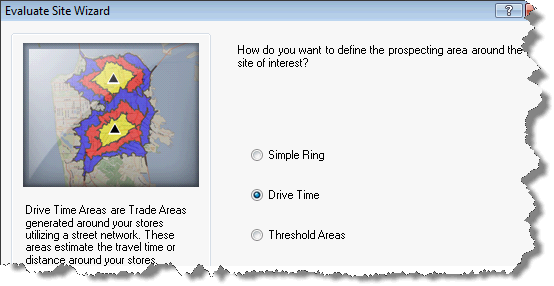
    Evaluate Site Wizard
  4. On the Evaluate Site Wizard dialog box, click the 1 button to change the drive-time trade areas created and click Next.
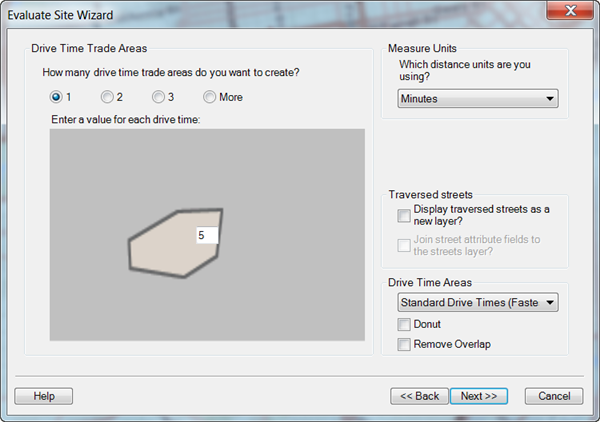
    Evaluate Site Wizard

    This will create a 5-minute drive-time trade area around the point clicked on the map.

  5. On the Evaluate Site Wizard dialog box, click the Create Reports check box and click Next.
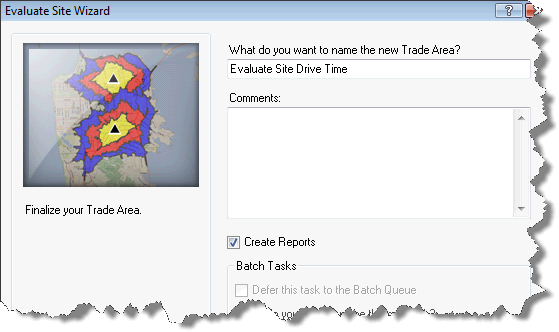
    Evaluate Site Wizard
  6. On the Evaluate Site Wizard dialog box, click the For Individual Features button and click Next.
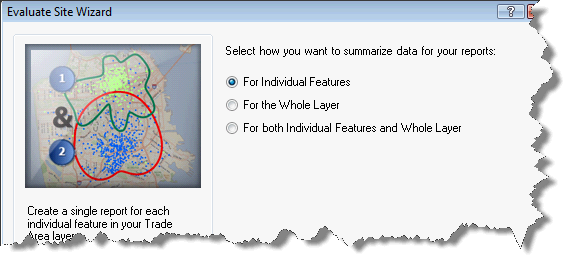
    Evaluate Site Wizard
  7. On the Evaluate Site Wizard dialog box, click Demographic and Income Profile in the left column and click the single right arrow to move the report to the column on the right.
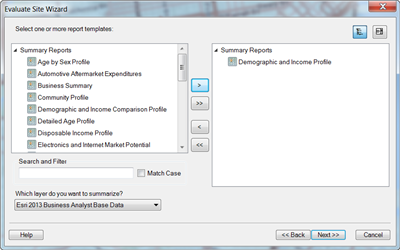
    Evaluate Site Wizard
  8. On the Evaluate Site Wizard dialog box and click Finish.
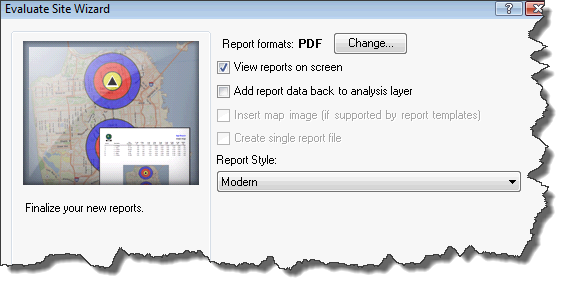
    Evaluate Site Wizard
  9. The drive time is added, and the map and report appears.
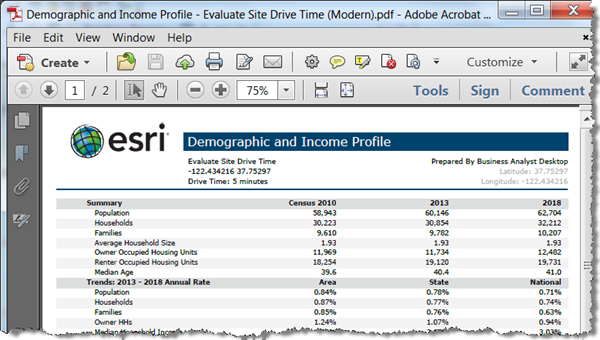
    Demographic and Income report

Click Exercise 5: Creating a study area and adding business listings to go to the next exercise.

Feedback on this topic?

ArcGIS for Desktop

  • Home
  • Documentation
  • Pricing
  • Support

ArcGIS Platform

  • ArcGIS Online
  • ArcGIS for Desktop
  • ArcGIS for Server
  • ArcGIS for Developers
  • ArcGIS Solutions
  • ArcGIS Marketplace

About Esri

  • About Us
  • Careers
  • Insiders Blog
  • User Conference
  • Developer Summit
Esri
© Copyright 2016 Environmental Systems Research Institute, Inc. | Privacy | Legal