What's new at 10.3.1
Populate centerline elevation upon centerline edits
Upon edits to the centerline features, Esri Roads and Highways will populate the Z values (elevation values) on the edited centerlines by calculating the elevation from an elevation dataset. The Z values are used to make 3D measure calculations for the Esri Roads and Highways LRS edit activities’ (that is, Create Route, Extend Route, Retire Route, and so on) From measure and To measure dialogs. This capability is useful if you have an LRS network based on 3D geometry length of the centerline.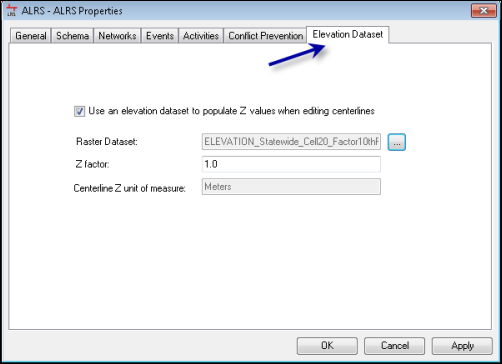
Support to modify Route ID definition after network creation
Users can modify the configuration of the LRS network route ID after the ALRS is created. This ability helps Esri Roads and Highways implementers if they make a mistake in the Route ID definition and want to correct it, or they change their mind on the Route ID data model design. Implementers can now modify the configuration after ALRS creation to change the list of columns participating in a conglomerate field Route ID, and they can also modify the Route ID field padding and other rules. Prior to this release, the network would need to be re-created.
Append Events geoprocessing tool enhancements
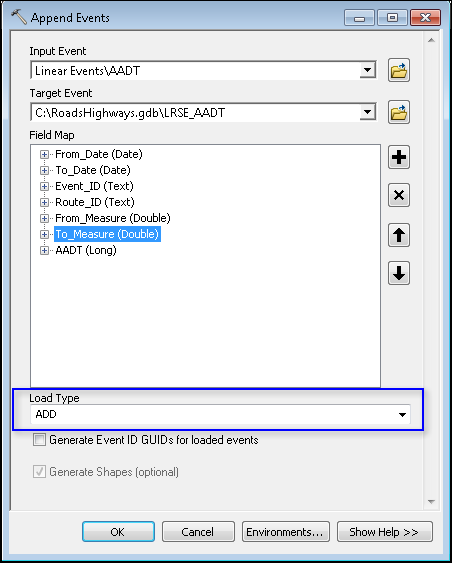
The Append Events geoprocessing tool, which supports loading event data into Esri Roads and Highways event feature classes, has been enhanced to support the following options for loading events:
- Append Events and retire by Event ID—Events in the geodatabase that match the Event ID of events being loaded (appended) will be retired. This is useful when loading event data for assets and incidents where historical events related to what is being loaded may already be in the geodatabase.
- Append Events and retire overlaps—Events in the geodatabase that overlap events being loaded (appended) will be retired. Partial overlaps will result in the events in the geodatabase being split after retirement. This is useful when loading event data for roadway characteristics where historical events related to what is being loaded may already be in the geodatabase.
- Append Events and replace by Event ID—Events in the geodatabase that match the Event ID of events being loaded (appended) will be deleted. This can be useful when loading batch corrections to event data.
- Append Events and generate Event ID—If the events being loaded (appended) do not have Event IDs, Esri Roads and Highways can generate the GUID ID for you.
Support for variable length Route ID
You can now configure a multifield variable length route ID. Prior to this new feature, Route IDs were required to be fixed length.
To illustrate this new support, imagine a Route ID as a conglomeration of County Code, Route Number, and Route Direction. Now the route number field can be variable length, and you don’t need to pad the route number in the route ID to make the Route ID fixed length. For example, if County Code is 1101, Route Number is 101, and Route Direction is S, the Route ID is 1101101S. You could also, in the same configuration, have a route where County Code is 1101, Route Number is 5, and Route Direction is S, and the Route ID is 11015S. These two route IDs have different lengths, and this configuration is now supported.
What's new at 10.3
Realign Route support for Gapped Route Calibration Rules
Esri Roads and Highways now honors the LRS network configuration for how to calibrate a physical gap (that is, add fixed measure, step fixed measure, or add Euclidean distance) in the Realign Route edit activity. For example, if you realign a route with a physical gap and either create two new physical gaps or don't close the existing gap that was realigned, the physical gap calibration method configured in the LRS network will be applied.
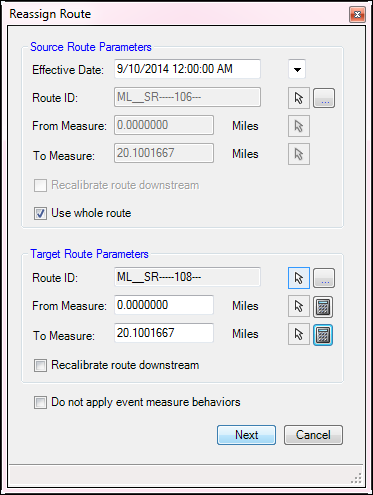
Reassign Route support to Edit Attributes for Newly Created Routes
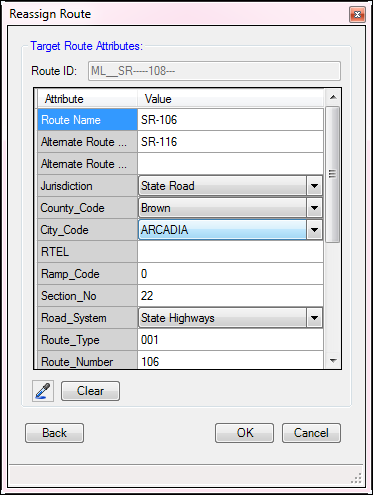
If you create a new route as a part of the Realign Route edit activity, Esri Roads and Highways now supports the ability to edit the attributes of the newly created route directly from the Reassign Route activity dialog box.
LRS Identify tool enhancements
The LRS identify tool has been enhanced to support snapping on identify to acquire measures at a specific location. In addition, the tool now supports the ability to copy LRS measures derived from Identify to the Windows clipboard.
Create Route support for subtypes
The Create Route edit activity now supports subtype fields that drive coded value domain field values that are a part of the conglomerate RouteID. Updating the subtype field now updates the list of coded values in the route attributes table.
Conflict prevention: Ability to reassign locks
Another new capability at 10.3 is the ability in Esri Roads and Highways for Desktop to transfer route and event locks to another user. The following two buttons have been added to the locks table:
- Transfer highlighted locks—Allows highlighted locks in the locks table held by one user to be transferred to another user, provided that no other user is in an edit session in the version the locks were created.
- Transfer selected locks—Allows locks selected in the locks table held by one user to be transferred to another user, provided that no other user is in an edit session in the version the locks were created.
The ability to transfer locks is an option that can be enabled or disabled in the ALRS properties.
New geoprocessing tools and enhancements
Append Events
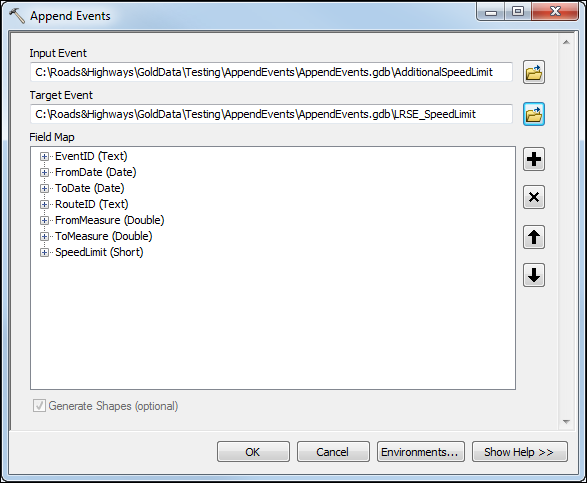
At 10.3, a new geoprocessing tool has been added to the Esri Roads and Highways toolbox that supports loading new event records into an existing event feature class that is already populated with events. The Append Events tool supports field mapping for loading and can generate the event feature class shapes based on the routes and measures that are loaded.
Overlay Route Events
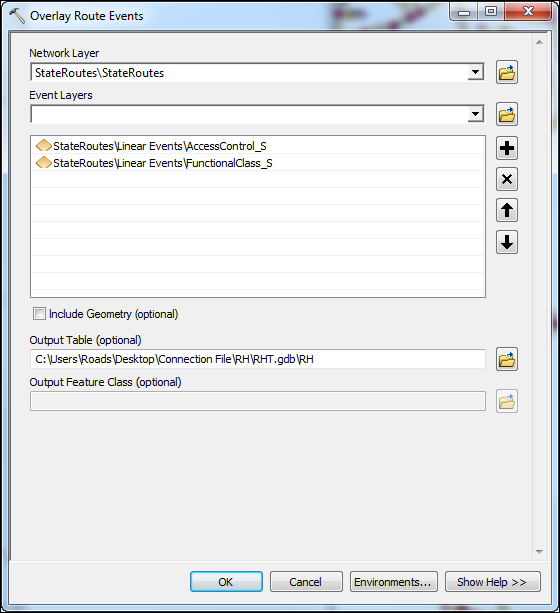
The Overlay Route Events geoprocessing tool has been added to the Esri Roads and Highways toolbox at 10.3 that supports dynamically segmenting two or more event feature classes together to produce a dynamically segmented result.
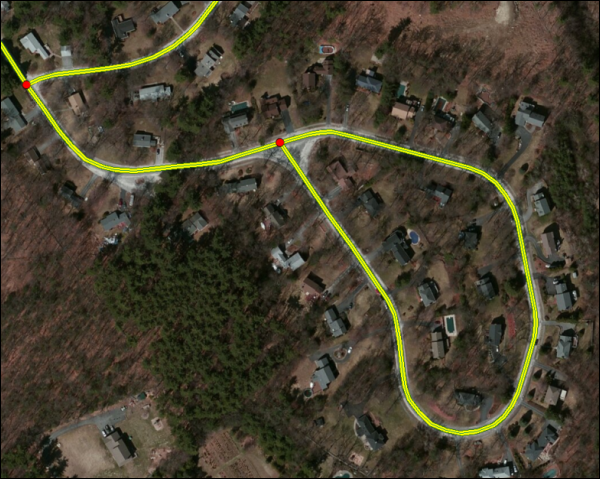
Update Calibration Points support for lollipop routes
The Update Calibration Points and Generate Calibration Points tools have been enhanced to support generate calibration points and calibrating routes for lollipop shaped routes.