You can use the Layout window to manage elements in the page layout. This window has a toolbar, an element list, and element searching capabilities. The toolbar exposes Production Mapping functionality such as the Measure Layout tool, and Layout and Data Frame Rules. The element list displays all surround elements on the current page layout. Right-clicking an element in this list displays the Layout window context menu.
To display the Layout window, click the Layout Window button  on the Production Cartography toolbar.
The Layout window toolbar

This toolbar provides functionality that applies to the entire page layout. See the following topics for more information:
The Layout window element list
The Layout window displays a list of all elements in the active layout. Each element has an icon that is specific to its element type. Element types include data frames, graphics, surround elements, and text .
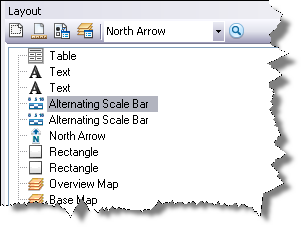
Right-click an element to display the Layout window context menu.

See the following topics for more information about functionality available on this context menu.
- Using the Layout window to select elements
- Delete an element from the Layout window
- Saving an element to the element library
- Grouping or ungrouping elements in the Layout window
- Changing element order
- Locking and unlocking elements
- Toggling draft mode in the Layout window
- Activating a data frame from the Layout window
- Accessing element properties from the Layout window