Disponible con licencia de Business Analyst.
The Fusion Report Designer allows you to select a report, select report sections and preview the report.
Select a report
Available report templates are listed by category:
- Blank Templates - Basic templates provide structure but no variables.
- Summary Reports - Predefined reports containing variables and calculations specific to Business Analyst datasets.
- Custom - Report templates created and saved within the Fusion Report Designer.
- Analysis Reports - Report types with sections focused on point-based functions.
- Fusion Reports - Sample reports that contain combinations of several report template functions.
- Select any report to preview its contents and structure.
- Drag and drop whole reports or sections in the Report Preview to view and build Fusion templates.

Select report sections
This allows you to preview each available report template and highlights the individual sections that can be added to the Report Preview using drag and drop.
- In the image below, the desired reports are selected and the preview is shown in Select report sections.
- You can drag to the Report Preview area for editing. You can drag whole reports or individual sections.

Report review
Report review provides an editing environment for building and modifying Fusion reports.
- Click Edit to modify and build custom calculations and work with available demographic variables.

In the edit mode, you can
- Double-click a report cell to view the calculation.
- Toggle between fields and reports to view individual variables and whole reports.
- Drag and drop sections of reports and whole reports.
- Change the title and logos.
- Toggle between Alias and Name for fields.

All data fields that support reports or report sections are added to the fields section. The Report Variables section contains dynamic text objects that are evaluated when the report is run. These include year, date, copyright, and so on.

- Drag and drop data variables from the fields section to the report cells. You can drag and drop one variable or multiple variables. The available report cells are highlighted.

Authoring online reports
If you are connected to your ArcGIS Online organization or ArcGIS Enterprise portal organization, you can select either Esri data (collection of Esri created variables) or custom data (user defined variables) and add them to your report templates.
Data variables are added to your list of available fields. You can choose them and drag and drop them onto your report templates.
Custom data that has been created in your ArcGIS organization is also available for your report templates. By default, not all the custom data variables are available in the fields list. You will need to select which custom data you want listed in the available Fields by clicking the Add Custom Data link.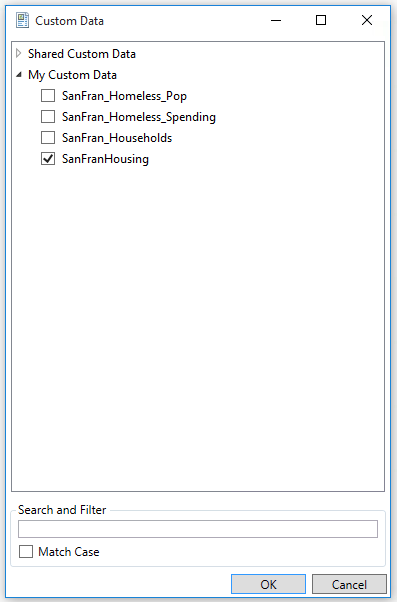
Once the custom data has been selected (either Shared Data or My Data), the variables will be available in the Fields list to be added to your report template.