3D Analyst のライセンスで利用可能。
サマリ
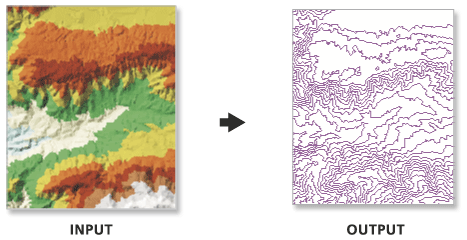
Creates a feature class containing a set of contours generated from a functional surface.
The output feature class is 2D and contains an attribute with contour values.
図
使用法
Use the interval and base contour options to tailor the extent and resolution of the output feature class.
Use the out contour field data to convert the feature class to 3D.
In certain instances the last valid contour line may not be produced when creating contours using TIN surfaces. This is an algorithmic limitation common to computer contouring software. To ensure that all valid contours are generated, add a very small negative value to the base contour field to slightly shift the data.
構文
TinContour_3d (in_tin, out_feature_class, interval, {base_contour}, {contour_field}, {contour_field_precision}, {index_interval}, {index_interval_field}, {z_factor})| パラメータ | 説明 | データ タイプ |
in_tin | The surface from which the contours will be interpolated. | Tin Layer |
out_feature_class | The output feature class. | Feature Class |
interval | The interval between the contours. | Double |
base_contour (オプション) | Along with the index interval, the base height is used to determine what contours are produced. The base height is a starting point from which the index interval is either added or subtracted. By default, the base contour is 0.0. | Double |
contour_field (オプション) | The field containing contour values. | String |
contour_field_precision (オプション) | The precision of the contour field. Zero specifies an integer, and the numbers 1–9 indicate how many decimal places the field will contain. By default, the field will be an integer (0). | Long |
index_interval (オプション) | The difference, in Z units, between index contours. The value specified should be evenly divisible by the contour interval. Typically, it’s five times greater. Use of this parameter adds an attribute field to the output feature class that’s used to differentiate index contours from regular contours. | Double |
index_interval_field (オプション) | The name of the field used to record whether a contour is a regular or an index contour. By default, the value is ‘Index’. | String |
z_factor (オプション) | Specifies a factor by which to multiply the surface heights. Used to convert z units to x and y units. | Double |
環境
ライセンス情報
- ArcGIS for Desktop Basic: 次のものが必要 3D Analyst
- ArcGIS for Desktop Standard: 次のものが必要 3D Analyst
- ArcGIS for Desktop Advanced: 次のものが必要 3D Analyst