Overview
Use this option if you already have a table that contains your customer data summarized across all Tapestry segments or if you want to import a profile created by another Business Analyst user. This table must include a field that contains the Tapestry codes from 1 to 66 and a field with the associated count of customers who fall into each of the 66 Tapestry segments.
Input Prerequisites
You must have a table containing customer data summarized across all Tapestry segments or a profile XML file created by another Business Analyst user.
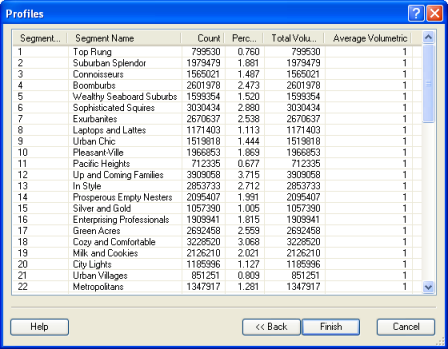
Example Output
- Count—The number of records that are classified in this segment.
- Percent—The percentage of records that are classified in this segment compared to all segments. This column should add up to 100 percent.
- Total Volume—If a volumetric field is used, the total volume (for example, number of visits or dollars spent) is the summation of the volume for each customer classified in that segment.
- Average volumetric—The average amount spent by each customer in that segment. This value is calculated by dividing Total Volume by Count.
The field containing the Tapestry ID must be numeric, not text.
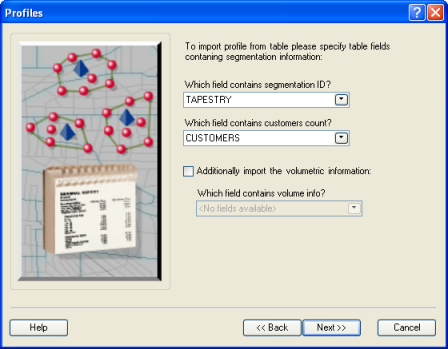
You can also import volumetric data by checking the Additionally import the volumetric information check box.
Learn more about Import Profiles.